
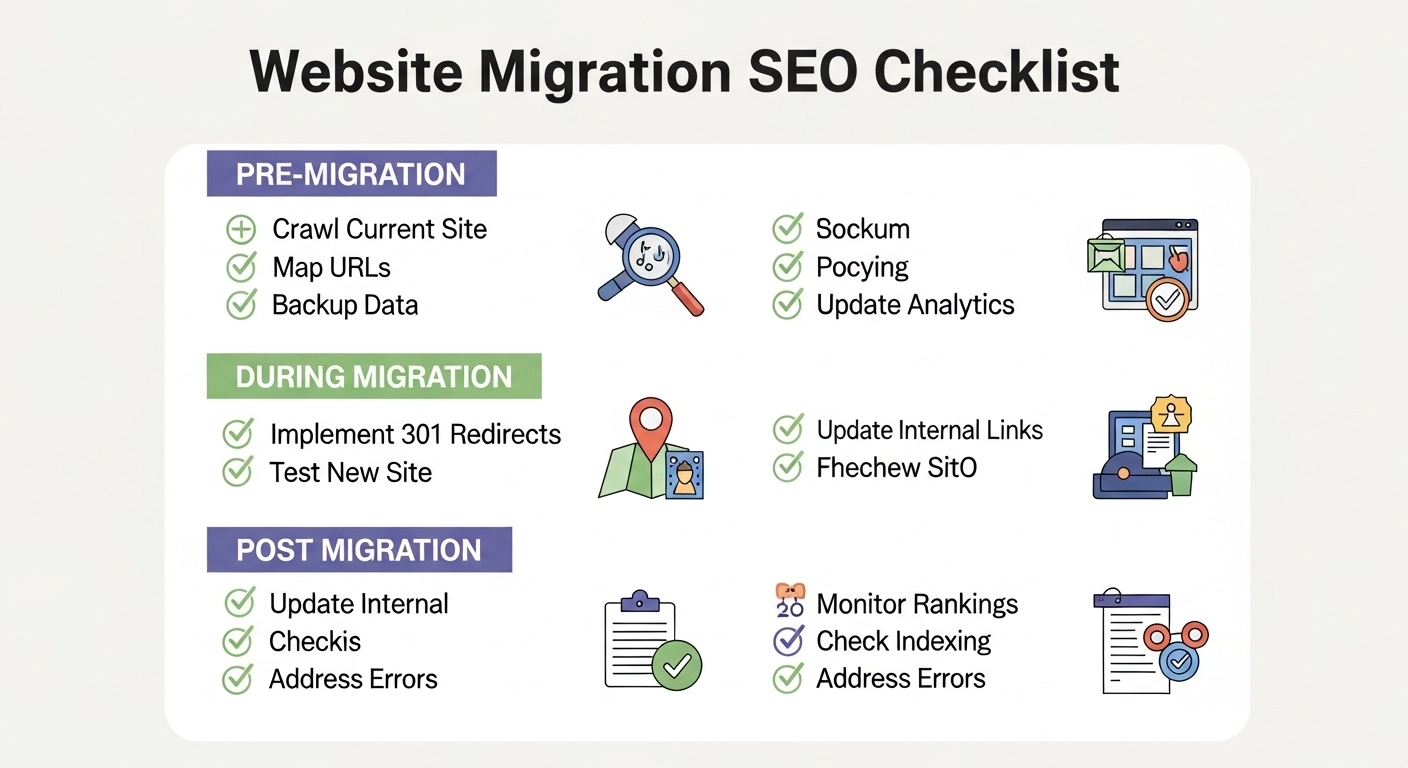
Migrating a website—whether it’s a redesign, domain change, or platform switch—can seriously impact your SEO if done wrong. Rankings can drop, traffic can disappear, and recovery can take months.
This site migration SEO checklist walks you through exactly what to do before, during, and after your migration so you can protect (and even improve) your organic performance.
What Is a Site Migration (and Why SEO Matters)?
A site migration is any major change to your website that affects how search engines crawl, index, or rank your pages. Common examples include:
- Moving to a new domain
- Switching from HTTP to HTTPS
- Redesigning your site structure
- Changing CMS platforms (like WordPress to Shopify)
- Updating URL structures
Even small mistakes—like broken redirects or missing metadata—can cause big SEO losses. That’s why a clear checklist is critical.
Pre-Migration SEO Checklist (Before You Move)
This is the most important phase. Good planning prevents most SEO disasters.
1. Crawl and Audit Your Current Site
Start by collecting a full snapshot of your existing website.
- Crawl all URLs
- Export metadata (titles, descriptions, headers)
- Identify top-performing pages
- Find broken links and duplicate content
👉 Goal: Know exactly what exists so nothing valuable gets lost.
2. Benchmark Current SEO Performance
Document your baseline so you can compare later:
- Organic traffic
- Keyword rankings
- Top landing pages
- Backlinks
👉 Use tools like Google Analytics and Search Console.
3. Map Old URLs to New URLs
Create a URL mapping document:
- Match every old URL to a new one
- Avoid deleting pages without a proper replacement
- Keep URL structure as similar as possible
👉 This step ensures smooth redirection and preserves link equity.
4. Plan 301 Redirects
301 redirects tell search engines that a page has permanently moved.
- Redirect old URLs → relevant new URLs
- Avoid redirect chains (A → B → C)
- Never redirect everything to the homepage
👉 Example:/blog/seo-tips → /seo/seo-tips-guide
5. Preserve On-Page SEO Elements
Keep your SEO signals intact:
- Title tags
- Meta descriptions
- Header tags (H1, H2, etc.)
- Internal linking
👉 Don’t “start fresh” unless necessary—your existing SEO is valuable.
6. Back Up Your Website
Before making any changes:
- Full site backup
- Database backup
👉 If something breaks, you can restore quickly.
Migration Day Checklist (During the Move)
This is execution time. Accuracy matters.
7. Implement Redirects Correctly
- Upload your 301 redirect rules
- Test a sample of URLs manually
- Ensure no 404 errors appear
8. Update Internal Links
Internal links should point directly to new URLs—not redirected ones.
👉 This improves crawl efficiency and user experience.
9. Update XML Sitemap
- Generate a new sitemap with updated URLs
- Remove old or broken pages
- Keep it clean and accurate
10. Check Technical SEO Elements
Make sure your new site is technically sound:
- Robots.txt is correct
- No accidental “noindex” tags
- Canonical tags are properly set
- Site is mobile-friendly
11. Verify Tracking Codes
Don’t lose your data:
- Google Analytics tracking installed
- Search Console connected
- Conversion tracking working
Post-Migration SEO Checklist (After Launch)
This is where you monitor and fix issues fast.
12. Submit Sitemap to Search Console
- Upload your new XML sitemap
- Request indexing for important pages
13. Monitor Traffic and Rankings
Watch closely for changes:
- Traffic drops
- Keyword ranking shifts
- Page performance
👉 Some fluctuation is normal—but big drops need action.
14. Fix Crawl Errors
Check Search Console for:
- 404 errors
- Redirect issues
- Blocked pages
👉 Fix problems immediately to avoid long-term damage.
15. Update Backlinks (If Possible)
Reach out to sites linking to you:
- Ask them to update links to new URLs
- Focus on high-authority backlinks
👉 This helps preserve link equity.
16. Keep Redirects Long-Term
Don’t remove redirects too early.
👉 Best practice: keep them active for at least 6–12 months.
Common Site Migration Mistakes to Avoid
Avoid these costly errors:
- Forgetting to set up redirects
- Blocking search engines accidentally
- Changing too many things at once
- Ignoring internal links
- Not testing before launch
Simple FAQ
How long does SEO recovery take after migration?
Typically 2–8 weeks, depending on site size and how well the migration was handled.
Will I lose rankings after migration?
Some fluctuation is normal, but with a proper checklist, you can minimize or avoid major losses.
What is the most important step in site migration SEO?
301 redirects and URL mapping—they preserve your rankings and traffic.
Should I migrate everything at once?
If possible, yes. Partial migrations can create confusion for search engines.
Final Thoughts
A site migration doesn’t have to hurt your SEO. With the right planning, careful execution, and ongoing monitoring, you can protect your rankings—and even come out stronger.
Think of migration as an opportunity: cleaner structure, better performance, and improved user experience.
